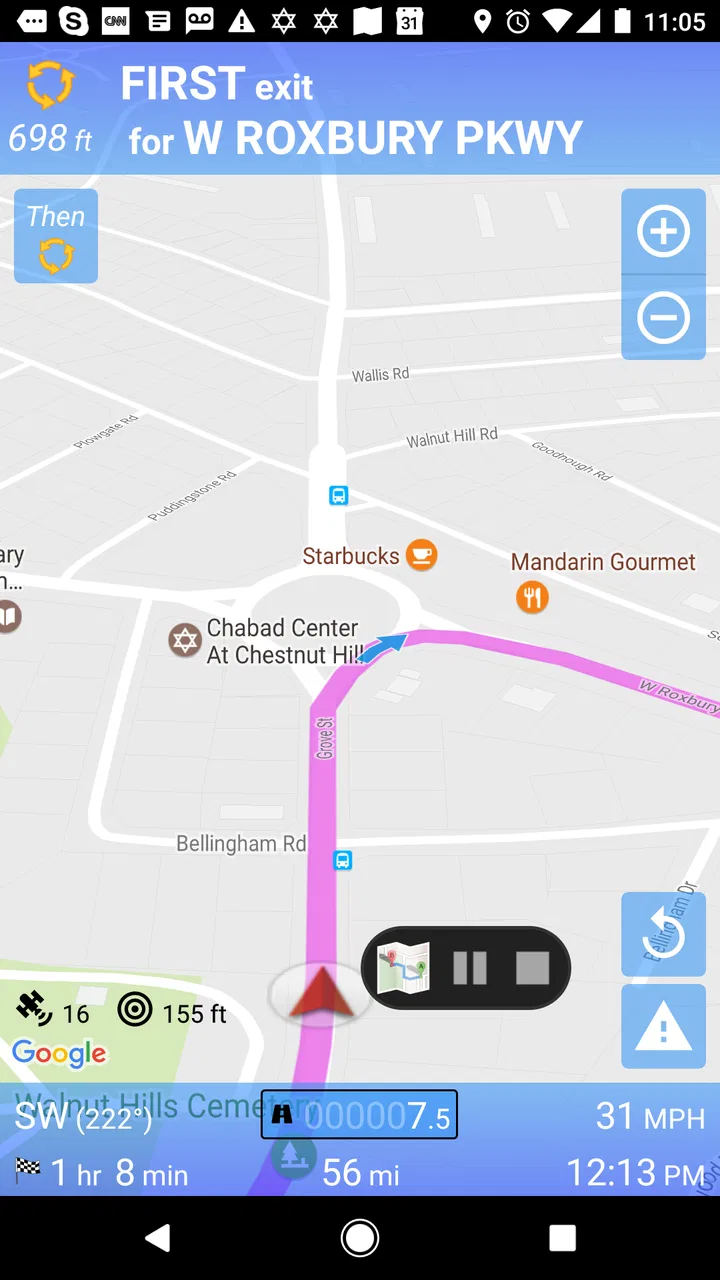
SmartRVRoute 2 RV Navigation
- 3.5
- Rating
- 10.00K
- Installs
- Free
- Price

 Analysis by App-foxy
Choosing navigation for an RV is different from choosing a normal driving app. A route that looks fine for a car can become stressful when the vehicle is tall, wide, heavy, or towing something behind it. I approached SmartRVRoute 2 with that practical question in mind: is it a useful dedicated option for RV travel, or would a familiar general-purpose map app be the better everyday choice?
This is a free Travel & Local app from SmartRouting, designed around live RV GPS routing and navigation. Its store summary also makes an important point: the service is based on a paid subscription model. That means the download cost is not the whole decision. You need to think about how often you travel, whether RV-aware routing matters to you, and whether changing from your current navigation routine is worth the effort.
My overall impression is that this app makes the most sense for people who treat routing as part of trip preparation rather than something they improvise at the last turn. It can be appealing to regular RV drivers who want navigation aimed at their vehicle type, while occasional renters and drivers who only need ordinary turn-by-turn directions may find the subscription structure harder to justify.
You May Also Like

 Pandora - Music & Podcasts
Pandora’s Music Is Easy to Start, but Harder to Recover
Pandora’s strength is its low-effort path from a seed to a station. Its weak spot is how much confidence it asks you to place in connection, setup, and quiet recovery.

 AccuWeather: Weather Radar
AccuWeather Review: A Quick, Clear Forecast for Everyday Decisions
For everyday plans, the best forecast is the one you can understand quickly. AccuWeather makes rain timing, radar, and local conditions easy to act on, with a few trade-offs.

 Hill Climb Racing
Why Hill Climb Racing Still Turns Crashes Into One More Run
A tiny car, a bumpy hill and one more upgrade: Hill Climb Racing keeps resurfacing because its simple chaos makes every near-miss feel personal.

 AliExpress - Shopping App
AliExpress Makes Global Shopping Feel Personal, but Shoppers Bear the Risk
AliExpress turns a global marketplace into a pocket-sized discovery engine. Its reach is useful, its shopping loop compelling, and its trade-offs easy to miss.

 Lords Mobile: Kingdom Wars
Lords Mobile Is a Kingdom-Building Routine, Not a Quick Match
A case-by-case verdict on the building, battles, device demands, and social commitments that make Lords Mobile rewarding for some players and exhausting for others.

 PDF Scanner app - TapScanner
TapScanner Makes Paperwork Easier to Capture, Check, and Share
TapScanner makes scanning with a phone feel less like a rescue operation and more like a dependable step in getting work done. Its capture tools are useful, though not flawless.
More From Our News Desk
View All News


What I would check before choosing an RV navigation app
I’d start by matching any RV navigator to the vehicle and the trips you actually make, rather than choosing by interface or familiarity alone. I’d also consider how you plan routes and what backup you want if a screen becomes difficult to rely on. Those basics make it easier to judge whether a dedicated tool can become part of a dependable travel routine.
Vehicle suitability matters more than a familiar interface
For a compact car, the usual navigation priorities are traffic, arrival time, and convenience. With an RV, I would put physical suitability first. A route can include a low clearance, a narrow road, a tight turn, a difficult approach, or a section where stopping is awkward. Even when an app offers RV-oriented routing, I would still treat its guidance as assistance rather than permission to ignore road signs and posted restrictions.
That is the first useful way to judge SmartRVRoute 2. Its purpose is not simply to draw a line between two points. It is positioned as a live RV GPS tool, so the relevant question is whether it fits the way you actually travel: long drives, unfamiliar roads, changing conditions, and the need to think ahead before committing a large vehicle to a route.
Live guidance is useful, but preparation still protects you
I would not begin an RV trip by entering a destination while already moving and immediately following every instruction. A better workflow is to review the route before departure, look at the broad direction, identify likely fuel or rest stops, and notice where the route may become demanding. Then I would start navigation after checking the vehicle and road conditions.
This matters because no navigation app removes the need for judgment. A live route can change while you are driving, and an apparently efficient detour may not feel comfortable in a large vehicle. SmartRVRoute 2 is most useful when it supports a prepared driver, not when it becomes the only source of road awareness.
The subscription question should come early
The app is free to install, but in-app purchases range from $24.99 to $199.99 per item. I would therefore examine the payment screen and subscription terms before planning a major journey around it. The exact value depends on how the purchase is presented and what access period or package each item represents, so I would not assume that downloading the app means the full navigation experience is permanently free.
For someone who takes several RV trips, paying for a specialized tool may be reasonable if it reduces route-planning anxiety. For someone who hires an RV once every few years, the cost may feel disproportionate compared with using a general map app and checking the route manually. The important comparison is not free versus paid; it is specialized guidance versus the habits and tools you already trust.
Device compatibility is reassuring for older phones
The application requires Android 6.0 or later, which makes it accessible on many older Android devices. That can be useful if your RV has a dedicated phone or tablet that is not your newest personal device. I would still test the app on the actual device before leaving, particularly if the screen is mounted at a distance or the phone is used in bright daylight.
The current version is 4.2.20260327_908. I would update before a trip rather than waiting until departure day. An update can be simple, but a long journey is the wrong time to discover that the app needs attention, a sign-in step, or a different setup than expected.
Who is most likely to benefit?
I see the clearest fit for owners and frequent renters who regularly drive a sizable RV and want an app focused on that type of travel. It may also suit people who dislike adapting ordinary car navigation to a vehicle with different road limitations. The age rating is Everyone, so the app is presented for a broad audience rather than a restricted adult use case.
I would be less enthusiastic for a person who mostly walks, commutes in a small car, or only wants a simple map for nearby errands. The app’s identity is specific, and that specificity is valuable only when the vehicle and journey create a real need for it.
Where SmartRVRoute 2 earns its place
For me, the lasting case for SmartRVRoute 2 is strongest when RV-aware guidance addresses a recurring concern, not just the excitement of trying a new app. I’d weigh that against the effort of learning another navigation routine and the subscription commitment, then test whether it changes decisions in a useful way on ordinary drives. The next section looks at where that focused purpose can pay off.
A purpose-built mindset is the main advantage
The strongest reason to try this app is its RV-first purpose. General navigation apps are excellent at familiar road travel, but they are not automatically designed around the practical concerns of a large recreational vehicle. A dedicated RV routing service starts from a more relevant problem: helping the driver plan movement for a vehicle that may not fit every road as comfortably as a car.
That difference changes how I would use it. I would not judge it only by whether it finds the fastest route. I would judge it by whether it encourages better decisions before a turn becomes unavoidable. If the route presentation helps me think about the journey as an RV trip rather than a normal car trip, that is meaningful value even when the final route takes longer.
A realistic travel-day workflow
Imagine leaving a campground in the morning with a full vehicle, limited room to turn around, and a destination several hours away. Before pulling out, I would enter the destination, review the suggested direction, and compare it with the road signs and my planned stops. I would keep the phone positioned where it can be seen without taking attention away from the road, then let the live guidance handle the next decisions while I concentrate on driving.
If the route changes later, I would slow down before accepting a new direction. In an RV, a late lane change or sudden turn can be more difficult than it is in a car. The useful habit here is to treat the app’s rerouting as a prompt to reassess, not as an order to react instantly. That small change in behavior is one of the practical benefits of using a dedicated navigation tool thoughtfully.
It can reduce the mental mismatch between car maps and RV driving
One subtle benefit of an RV-focused app is psychological. When I use a normal map for a large vehicle, I am constantly translating its advice in my head: “Would this turn be comfortable?” “Can I stop there?” “Is this road really suitable?” A tool built for RV travel may reduce that mismatch by making the navigation experience feel more relevant from the start.
That does not guarantee every instruction will suit every rig. RVs vary considerably, and a route that works for one setup may be less pleasant for another. Still, the dedicated focus gives the app a clear reason to exist, and it is more compelling than simply offering another generic map with a different interface.
It is approachable for a broad range of Android users
Because it supports Android 6.0 and newer, SmartRVRoute 2 is not limited to people carrying the latest phone. That is particularly practical for travel equipment. Some drivers prefer to keep an older device in the vehicle as a navigation screen, leaving their main phone available for calls or other tasks. I would test screen readability, charging, and mounting before the trip, but the operating-system requirement does not force an immediate hardware upgrade.
The app has passed the early adoption stage, with over 10 thousand installs, and it has an average rating of 3.5 from around 130 ratings. I read that as a mixed but useful signal: there is enough public use to show that the concept has attracted drivers, while the rating suggests I should test it personally rather than assume it will satisfy everyone.
Three practical habits that make the app more useful
- Plan while stationary. I would enter destinations and inspect the route before moving, especially when leaving a campground or approaching an unfamiliar town.
- Keep a physical backup. A printed route outline or offline notes can help if the phone becomes unavailable, the screen is hard to read, or the route needs a human rethink.
- Use the app alongside road awareness. I would compare its direction with clearance signs, weight limits, construction notices, and the actual shape of the road rather than assuming the screen overrides everything else.
These habits are not flashy features, but they are where a navigation app becomes genuinely useful. The tool can provide guidance; the driver still controls the pace, the safety margin, and the decision to continue.
What the rating tells me about expectations
An average of 3.5 is neither a strong endorsement nor a reason to dismiss the app. For me, it means expectations should stay realistic. A specialized concept can be valuable while still having rough edges, and navigation quality can feel different depending on the vehicle, region, phone, and travel style.
I would install it before a major trip, use it on a familiar local drive, and see whether the route presentation feels clear from the driver’s seat. That trial is more informative than reading the rating alone. If the instructions feel late, confusing, or poorly suited to my particular RV, I would know before depending on it far from home.
When a different category may fit better
I’d choose a broader map app when my travel mixes everyday driving, walking, and local searches, or when I rarely use a large vehicle. That is not a knock on specialist navigation; it is a reminder that a focused tool earns its place only when its particular problem comes up often enough. The following section considers how to make that choice without overcommitting.
General map apps are often better for mixed travel
If I need one app for driving, walking around a destination, finding a nearby business, and checking ordinary traffic, a mainstream map service may be more convenient. General apps usually fit everyday movement better because they cover many types of trips in one familiar place. They may also be the better choice for a small camper or car where RV-specific routing is less important.
The trade-off is specialization. A general map can be wonderfully convenient without being the best tool for a tall or wide vehicle. I would choose it when convenience and broad local search matter more than dedicated RV planning, not because the two categories solve exactly the same problem.
Paper planning and road atlases still have a role
I would not discard paper maps for RV travel. They are useful for seeing the whole region, understanding alternate corridors, and continuing a basic plan when a phone battery or connection becomes a problem. They are not a replacement for live navigation, but they make a good backup and can prevent the driver from becoming overly dependent on a small screen.
For a long trip, my preferred approach would be layered: use the app for active guidance, review the journey broadly beforehand, and keep enough written information to make a sensible decision if the route changes. That is more resilient than relying on any single navigation source.
Dedicated RV planning services may be preferable for detailed preparation
Some travelers want more than live directions. They may care about building a multi-stop itinerary, organizing campground visits, planning fuel breaks, or managing a route several days ahead. If those planning tasks are central to your trips, I would compare SmartRVRoute 2 with dedicated itinerary tools before committing to a subscription.
The key distinction is between navigation during the drive and trip management before the drive. SmartRVRoute 2 is clearly aimed at live RV GPS routing and navigation. If your priority is a carefully organized vacation schedule, another category may offer a workflow that feels more natural, even if you still use this app for the road itself.
Why switching can be more difficult than installing
The real cost of changing navigation apps is not just money. It includes learning a new interface, checking how destinations are entered, adjusting the phone mount, understanding how rerouting behaves, and building confidence in the route display. I would not switch on the morning of a major departure unless I had already tested the app on ordinary roads.
There is also a habit cost. If I already know how to prepare routes with my current map, a new app must offer a clear improvement for my vehicle or travel pattern. A dedicated RV focus can justify that change, but only if it solves a problem I actually experience. Otherwise, the familiar alternative may remain the more efficient choice.
Think carefully about the purchase before depending on it
Since the app is free to download but includes in-app purchases from $24.99 to $199.99 per item, I would look closely at what access is required for the journeys I have in mind. I would also make sure I understand whether the purchase is suitable for occasional use, repeated trips, or a longer travel season before paying.
This is especially important for a family or shared RV. One person may be happy to use a specialized subscription, while another may prefer a familiar free map. Agreeing on the primary navigation method before departure avoids arguments when the vehicle is already on the road.
Who should probably skip it?
I would skip SmartRVRoute 2 if I rarely drive an RV, already have a routing setup that handles my vehicle needs well, or mainly want local search and simple car navigation. I would also hesitate if I am unwilling to test a new app before a trip or if the purchase model does not fit my budget.
It is not the obvious choice for a driver who wants one universal app for every kind of travel. Its value comes from being more focused, and focused tools are naturally less compelling when the specific problem is not part of your routine.
My recommendation after weighing the trade-offs
My recommendation depends on whether RV routing is a regular need and whether the app proves comfortable in practice, not simply on its promise or first impression. I’d try it on a low-pressure route, compare its guidance with road conditions, and decide only afterward whether it deserves a recurring role. The final section brings those trade-offs together into a practical choice.
Try it before making it your primary navigator
My recommendation is cautious but positive for regular RV travelers. SmartRVRoute 2 has a clear purpose, and that purpose addresses a genuine difference between driving a recreational vehicle and driving a normal car. I would install it, test it on a short route, and compare its guidance with my existing method before paying for extended use.
The trial should include more than a straight drive. I would test a route leaving a familiar area, a destination with several turns, and a situation where I can safely compare the suggested route with road signs and my own expectations. I would also check whether the display is comfortable to read, whether instructions arrive early enough for a large vehicle, and whether the overall workflow feels calm rather than distracting.
My decision rule for frequent and occasional users
For frequent RV drivers, the specialized focus may be worth the learning curve and subscription cost, particularly when ordinary car navigation leaves too much guesswork about suitable roads. I would consider it a useful part of a broader travel setup rather than a complete replacement for common sense, road signs, and backup planning.
For occasional users, I would be more selective. If the trip involves a large rig, unfamiliar roads, and a strong need for RV-oriented routing, testing this app could make sense. If the vehicle is small or the journey is simple, a familiar general map may provide enough value without adding another paid service to the travel budget.
The bottom line
SmartRVRoute 2 is best understood as a decision tool for RV drivers, not merely another map. Its live navigation focus and RV-specific identity give it a meaningful advantage over ordinary alternatives when vehicle suitability is the main concern. At the same time, the mixed 3.5 average, the need to test it in real conditions, and the in-app purchase range mean I would avoid treating it as an automatic purchase.
My clear advice is to test it locally, prepare routes while parked, keep a backup plan, and pay only if its RV-focused guidance improves the way you actually travel. That makes it a sensible candidate for regular RV owners and careful renters, while everyday car drivers and infrequent travelers will probably be happier with a more general navigation solution.
FAQs for SmartRVRoute 2 RV Navigation
01What is SmartRVRoute 2 RV Navigation, and who is it designed for?
SmartRVRoute 2 RV Navigation is a route-planning and navigation app created for recreational vehicle travelers. It is intended for motorhomes, campers, caravans, and other large vehicles that may not fit safely on every road. The app helps users plan journeys with RV-related restrictions in mind, rather than relying only on standard car-navigation routes that can lead to low bridges, narrow roads, steep grades, or unsuitable streets.
02Does SmartRVRoute 2 consider the size and weight of my RV when planning routes?
The main advantage of an RV navigation app is its ability to use vehicle information such as height, width, length, weight, and sometimes axle details when calculating a route. Before starting a trip, users should carefully enter accurate measurements, including the height of roof accessories, antennas, and air-conditioning units. Incorrect vehicle data can produce unsuitable directions, so the app should always be used together with road signs and common-sense driving judgment.
03Can I use SmartRVRoute 2 without an internet connection?
Offline availability depends on the app version, the selected map coverage, and which navigation features are supported after maps are downloaded. Travelers should check the app’s current listing and download any required regions before leaving home, especially when driving through rural areas with weak mobile coverage. Even with offline navigation, live traffic, weather, road closures, and other online services may require an active internet connection.
04Is SmartRVRoute 2 suitable for international RV trips?
The app may be useful for trips across different regions, but coverage and feature availability can vary by country. Users planning an international journey should confirm that the destination maps, road restrictions, address search, language options, and routing data are supported before downloading. It is also wise to compare the suggested route with official road information, because bridge restrictions, seasonal closures, toll rules, and local regulations can change.
05Is SmartRVRoute 2 a complete replacement for a paper map or other navigation app?
SmartRVRoute 2 can be a valuable tool for planning and following RV-friendly routes, but it should not be treated as the only source of driving information. Navigation databases are not perfect, and road conditions can change after an update. Keep a backup route or map, watch road signs, and verify restrictions whenever possible. Drivers should also avoid interacting with the app while moving and make all adjustments before departure.
Pros
- Designed specifically for RV dimensions and route restrictions.
- Helps avoid roads unsuitable for large recreational vehicles.
- Useful offline maps for areas with weak cellular coverage.
- Provides RV-focused points of interest
- including campgrounds and fuel stops.
- Supports trip planning with routes tailored to vehicle size and type.
Cons
- Some advanced navigation features may require a paid subscription.
- Map data may be incomplete or outdated in less-traveled regions.
- Large RV routes can sometimes add significant distance to a trip.
- Requires accurate vehicle measurements for reliable routing.
- May use considerable storage space when downloading offline maps.

SmartRVRoute 2 RV Navigation
Gallery